
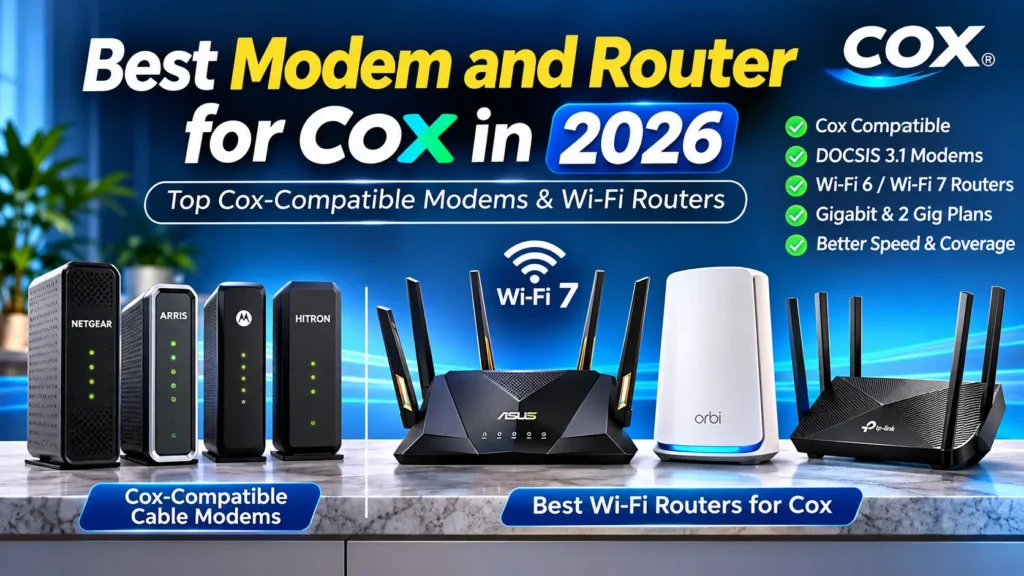
Best Modem and Router for Cox in 2026: Top Picks for Every Speed Tier
Choosing the best modem and router for Cox Internet can make a noticeable difference in your home network. The right equipment can help you get the most from your internet plan, improve Wi-Fi coverage, reduce network congestion and avoid monthly equipment rental fees.
If you prefer separate devices instead of an all-in-one modem-router combo, this guide covers some of the best Cox-compatible cable modems and standalone Wi-Fi routers available.
We’ve included options for different needs, from budget-friendly gigabit setups to multi-gig connections, Wi-Fi 7 routers and whole-home mesh systems.
Important: These recommendations use Cox’s published residential modem compatibility list. Always confirm your service address, internet plan and modem model with Cox before purchasing.
Prefer an all-in-one device instead? Check out our guide to the Best Modem Router Combo for Cox for our recommendations.
As an Amazon Associate I earn from qualifying purchases.
Quick Comparison: Best Modems for Cox
| Cable Modem | DOCSIS | Cox Supported Tier | Ethernet Port | Best For | Amazon |
|---|---|---|---|---|---|
| Hitron CODA56 | DOCSIS 3.1 | Up to 2 Gig | 2.5GbE | Multi-gig value | Check Price |
| NETGEAR CM3000 | DOCSIS 3.1 | Up to 2 Gig | 2.5GbE + 2 × 1GbE | Multi-gig performance | Check Price |
| Motorola MB8611 | DOCSIS 3.1 | Up to 2 Gig | 2.5GbE | Multi-gig alternative | Check Price |
| NETGEAR CM2500 | DOCSIS 3.1 | Up to 1 Gig | 2 × 1GbE | Gigabit plans | Check Price |
| ARRIS SURFboard SB8200 | DOCSIS 3.1 | Up to 1 Gig | 2 × 1GbE | Basic gigabit setup | Check Price |
Best Cable Modems for Cox
These are standalone cable modems. They do not provide Wi-Fi by themselves, so you’ll need a separate wireless router.
1. Hitron CODA56 – Best Value for Multi-Gig Cox Plans
The Hitron CODA56 is a DOCSIS 3.1 cable modem designed for high-speed cable internet connections. It is a straightforward option for customers who want a standalone modem with a 2.5GbE Ethernet connection.
Its single 2.5GbE port connects directly to a compatible router, allowing a multi-gig network connection without relying on Ethernet port aggregation.
Key Features
- DOCSIS 3.1 cable modem
- One 2.5GbE Ethernet port
- Advertised modem capability up to 2.5Gbps
- No built-in Wi-Fi
- Requires a separate wireless router
- Cox lists it under its 2 Gig or lower compatible DOCSIS 3.1 modems.
Pros and Cons
| Pros | Cons |
|---|---|
| 2.5GbE Ethernet connection | No built-in Wi-Fi |
| Supports Cox’s 2 Gig tier or lower | No telephone jacks |
| Simple standalone modem design | Only one Ethernet port |
Best for: Cox customers who want a simple DOCSIS 3.1 modem for a multi-gig setup.
2. NETGEAR Nighthawk CM3000 – Best for Multi-Gig Performance
The NETGEAR Nighthawk CM3000 is a DOCSIS 3.1 cable modem designed for high-speed cable internet. It supports multi-gig Ethernet connectivity and provides additional Ethernet ports for compatible network configurations.
It includes one 2.5GbE port and two Gigabit Ethernet ports. The 2.5GbE connection is particularly useful when pairing the modem with a multi-gig Wi-Fi router.
Key Features
- DOCSIS 3.1 technology
- Download capability up to 2.5Gbps
- One 2.5GbE Ethernet port
- Two additional Gigabit Ethernet ports
- Mid/high-split support
- No built-in Wi-Fi
- Cox lists it for 2 Gig or lower internet tiers.
Pros and Cons
| Pros | Cons |
|---|---|
| 2.5GbE Ethernet port | Requires a separate router |
| Multi-gig connectivity | No built-in Wi-Fi |
| Additional Gigabit ports | Not suitable for bundled cable voice service |
Best for: Customers who want a higher-performance standalone modem for a multi-gig Cox connection.
3. Motorola MB8611 – Best 2.5GbE Modem Alternative
The Motorola MB8611 is another DOCSIS 3.1 standalone cable modem. Its main advantage is its single 2.5GbE Ethernet port, which provides a direct high-speed connection to a compatible router or computer.
It also supports Active Queue Management (AQM), a feature designed to help reduce latency during activities such as online gaming and video conferencing.
Key Features
- DOCSIS 3.1 cable modem
- One 2.5GbE Ethernet port
- Supports AQM
- No built-in wireless router
- No telephone jacks
- Cox lists it under 2 Gig or lower compatible modems.
Pros and Cons
| Pros | Cons |
|---|---|
| 2.5GbE Ethernet connection | Separate router required |
| AQM support | No built-in Wi-Fi |
| Suitable for Cox multi-gig service tiers | No telephone support |
Best for: Cox customers looking for a standalone modem with 2.5GbE connectivity.
4. NETGEAR Nighthawk CM2500 – Best for Cox Gigabit Plans
The NETGEAR Nighthawk CM2500 is a DOCSIS 3.1 modem designed for cable internet connections. It features two Gigabit Ethernet ports that support link aggregation with compatible equipment.
However, Cox lists the CM2500 for internet tiers up to 1 Gig. Its advertised hardware capabilities should not be confused with the service tier Cox certifies for this model.
Key Features
- DOCSIS 3.1 technology
- Two Gigabit Ethernet ports
- Ethernet link aggregation support
- No built-in Wi-Fi
- No telephone support
- Cox-certified up to 1 Gig.
Pros and Cons
| Pros | Cons |
|---|---|
| DOCSIS 3.1 technology | Cox tier limited to 1 Gig |
| Link aggregation capability | No 2.5GbE Ethernet port |
| Suitable for gigabit connections | Requires a separate router |
Best for: Customers using Cox internet plans up to 1 Gig.
Affiliate link: Add your Amazon affiliate link before publishing.
5. ARRIS SURFboard SB8200 – Best Basic Gigabit Modem
The ARRIS SURFboard SB8200 is a DOCSIS 3.1 cable modem designed for gigabit cable internet connections.
It includes two Gigabit Ethernet ports, but Cox specifies that only one Ethernet port can be used at a time. Therefore, the two ports should not be treated as a 2Gbps connection on Cox.
Key Features
- DOCSIS 3.1 cable modem
- Two Gigabit Ethernet ports
- No built-in Wi-Fi
- Separate router required
- Cox-compatible up to 1 Gig.
Pros and Cons
| Pros | Cons |
|---|---|
| DOCSIS 3.1 support | No 2.5GbE port |
| Works with Cox up to 1 Gig | Only one Ethernet port active at a time on Cox |
| Suitable for a basic standalone setup | Not ideal for multi-gig plans |
Best for: Customers who need a basic DOCSIS 3.1 modem for Cox gigabit or lower plans.
Quick Comparison: Best Wi-Fi Routers for Cox
Once you’ve selected a compatible cable modem, the next step is choosing a wireless router.
| Wi-Fi Router | Wi-Fi Standard | Ethernet Connectivity | Best For | Amazon |
|---|---|---|---|---|
| TP-Link Archer BE400 | Wi-Fi 7 Dual-Band |
1 × 2.5GbE WAN 1 × 2.5GbE LAN 3 × Gigabit LAN |
Best Overall | Check Price |
| TP-Link Archer BE220 | Wi-Fi 7 Dual-Band |
1 × Gigabit WAN 4 × Gigabit LAN |
Budget Wi-Fi 7 | Check Price |
| TP-Link Deco X55 Pro | Wi-Fi 6 Dual-Band Mesh |
2 × 2.5GbE per unit | Whole-Home Mesh | Check Price |
| NETGEAR Orbi RBE373 | Wi-Fi 7 Dual-Band Mesh |
Router: 1 × 2.5GbE WAN 1 × 2.5GbE LAN Satellite: 1 × 2.5GbE LAN each |
Large Homes | Check Price |
| ASUS RT-BE9700 | Wi-Fi 7 Tri-Band |
1 × 10GbE WAN/LAN 4 × 2.5GbE WAN/LAN and LAN ports |
Premium Performance | Check Price |
| ASUS RT-BE88U | Wi-Fi 7 Dual-Band |
1 × 10GbE WAN/LAN 1 × 10G SFP+ 4 × 2.5GbE 4 × Gigabit LAN |
Advanced Networking & Gaming | Check Price |
Best Wi-Fi Routers for Cox
1. TP-Link Archer BE400 (BE6500) – Best Overall Wi-Fi 7 Router
The TP-Link Archer BE400 is a dual-band Wi-Fi 7 router designed for homes with multiple connected devices. It offers high wireless speeds and multi-gig Ethernet connectivity.
Its 2.5GbE WAN port connects to a compatible cable modem, while its 2.5GbE LAN port supports a multi-gig wired connection to a computer or other network device.
Key Features
- BE6500 dual-band Wi-Fi 7
- 5GHz: up to 5,764Mbps
- 2.4GHz: up to 688Mbps
- One 2.5GbE WAN port
- One 2.5GbE LAN port
- Three Gigabit LAN ports
- Six external antennas
- Multi-Link Operation (MLO)
- EasyMesh compatibility
Pros and Cons
| Pros | Cons |
|---|---|
| Wi-Fi 7 support | Dual-band rather than tri-band |
| 2.5GbE WAN and LAN | Only one 2.5GbE LAN port |
| Six external antennas | Actual coverage varies by home |
| VPN client and server support | Advanced HomeShield features may require a subscription |
Best for: Cox customers who want a modern Wi-Fi 7 router with multi-gig wired connectivity.
2. TP-Link Archer BE220 (BE3600) – Best Budget Wi-Fi 7 Router
The Archer BE220 is a more affordable entry into Wi-Fi 7 networking. It supports dual-band Wi-Fi 7 and includes four Gigabit LAN ports for wired devices.
Unlike the Archer BE400, the BE220 has a Gigabit WAN port. This means it is better suited to Cox plans up to 1 Gig from a wired connection perspective.
Key Features
- BE3600 dual-band Wi-Fi 7
- 5GHz: up to 2,882Mbps
- 2.4GHz: up to 688Mbps
- One Gigabit WAN port
- Four Gigabit LAN ports
- Four external antennas
- MLO and EasyMesh support
- VPN client and server support
Pros and Cons
| Pros | Cons |
|---|---|
| Wi-Fi 7 support | Gigabit WAN limitation |
| Four Gigabit LAN ports | No 2.5GbE ports |
| Four external antennas | Dual-band only |
| EasyMesh compatibility | Not suitable for full 2 Gig wired throughput |
Best for: Customers who want Wi-Fi 7 without needing multi-gig wired connectivity.
3. TP-Link Deco X55 Pro (AX3000, 3-Pack) – Best Whole-Home Mesh System
The TP-Link Deco X55 Pro is a Wi-Fi 6 mesh system designed to provide more consistent wireless coverage throughout a home.
The three-pack configuration can help reduce Wi-Fi dead zones in larger houses. Each Deco unit includes two 2.5GbE WAN/LAN ports, allowing multi-gig internet connectivity and wired backhaul.
Key Features
- AX3000 dual-band Wi-Fi 6
- 5GHz: up to 2,402Mbps
- 2.4GHz: up to 574Mbps
- Two 2.5GbE WAN/LAN ports per unit
- Advertised three-pack coverage up to 6,500 sq. ft.
- Supports over 150 connected devices (manufacturer claim)
- AI-driven mesh technology
- Ethernet backhaul support
Pros and Cons
| Pros | Cons |
|---|---|
| Two 2.5GbE ports per unit | Wi-Fi 6 rather than Wi-Fi 7 |
| Three-unit whole-home coverage | Three units may be unnecessary for smaller homes |
| Wired Ethernet backhaul | Dual-band wireless |
| Supports multi-gig internet access | Actual coverage varies by building |
Best for: Large homes that need better Wi-Fi coverage and multi-gig Ethernet connectivity.
4. NETGEAR Orbi 370 Series RBE373 (3-Pack) – Best Wi-Fi 7 Mesh System
The NETGEAR Orbi 370 Series is a dual-band Wi-Fi 7 mesh system designed for whole-home wireless coverage.
The RBE373 package includes one Orbi router and two satellite units. NETGEAR advertises coverage up to 6,000 sq. ft. and support for up to 70 connected devices.
The router includes a 2.5GbE WAN port and a 2.5GbE LAN port. Each satellite also has a 2.5GbE LAN port, allowing wired devices and Ethernet backhaul connections.
Key Features
- BE5000 dual-band Wi-Fi 7
- Combined wireless speeds up to 5Gbps (manufacturer rating)
- Three-pack coverage advertised up to 6,000 sq. ft.
- Supports up to 70 connected devices
- One 2.5GbE WAN and one 2.5GbE LAN on the router
- One 2.5GbE LAN on each satellite
- Enhanced backhaul
- WPA3 security
Pros and Cons
| Pros | Cons |
|---|---|
| Wi-Fi 7 mesh technology | Dual-band, not tri-band |
| Three-unit whole-home coverage | Premium mesh investment |
| 2.5GbE ports on router and satellites | Fewer wired ports than some standalone routers |
| Easy app-based setup | Actual coverage varies by home |
Best for: Customers who want Wi-Fi 7 mesh coverage across a large home.
5. ASUS RT-BE9700 – Best Premium Tri-Band Wi-Fi 7 Router
The ASUS RT-BE9700 is a premium tri-band Wi-Fi 7 router designed for high-performance home networking.
It supports the 2.4GHz, 5GHz and 6GHz bands, along with multi-gig wired connectivity. Its 10GbE WAN/LAN port and additional 2.5GbE ports make it a strong option for customers building a high-speed home network.
It also includes Adaptive QoS, network security features and VPN support.
Key Features
- BE9700 tri-band Wi-Fi 7
- 2.4GHz, 5GHz and 6GHz bands
- Combined wireless speeds up to 9.7Gbps (manufacturer rating)
- One 10GbE WAN/LAN port
- One 2.5GbE WAN/LAN port
- Three 2.5GbE LAN ports
- Quad-core processor
- Adaptive QoS
- AiProtection and VPN support
- AiMesh compatibility
Pros and Cons
| Pros | Cons |
|---|---|
| Tri-band Wi-Fi 7 with 6GHz | Premium category |
| 10GbE and 2.5GbE connectivity | 6GHz performance depends on client compatibility and range |
| Adaptive QoS | Advanced features may require configuration |
| AiMesh support | More capability than many basic homes need |
Best for: Customers who want premium Wi-Fi 7, multi-gig connectivity, high-performance streaming and online gaming.
6. ASUS RT-BE88U – Best for Advanced Wired Networking and Gaming
The ASUS RT-BE88U is a dual-band Wi-Fi 7 router with extensive wired connectivity. It is particularly interesting for homes with gaming PCs, consoles, network storage and other wired devices.
It includes dedicated gaming features such as a Gaming Port, Mobile Game Mode, Gear Accelerator and OpenNAT. Adaptive QoS can also prioritize selected network traffic.
Unlike the RT-BE9700, this model does not include a 6GHz Wi-Fi band. Its main strengths are its wired networking options and gaming-related features.
Key Features
- BE7200 dual-band Wi-Fi 7
- 5GHz: up to 5,764Mbps
- 2.4GHz: up to 1,376Mbps
- One 10GbE WAN/LAN port
- One 10GbE SFP+ port
- One 2.5GbE WAN/LAN port
- Three 2.5GbE LAN ports
- Four Gigabit LAN ports
- 2.6GHz quad-core processor
- Dedicated Gaming Port
- Mobile Game Mode and Adaptive QoS
- AiProtection Pro and VPN Fusion
Pros and Cons
| Pros | Cons |
|---|---|
| Extensive 10GbE and 2.5GbE connectivity | No 6GHz band |
| Dedicated gaming features | Dual-band Wi-Fi 7 |
| Powerful quad-core processor | Advanced features may be unnecessary for basic users |
| AiProtection Pro and VPN support | Requires a separate cable modem |
Best for: Users who want extensive wired connectivity, Wi-Fi 7 and gaming-oriented network controls.
Which Modem and Router Should You Pair Together?
Buying a fast cable modem is only part of building a good home network. Your router must also have suitable Ethernet ports to handle the speed delivered by the modem.
Here are some example combinations:
| Setup | Cable Modem | Router |
|---|---|---|
| Budget gigabit setup | ARRIS SB8200 | TP-Link Archer BE220 |
| Gigabit alternative | NETGEAR CM2500 | TP-Link Archer BE400 |
| Multi-gig setup | Hitron CODA56 | TP-Link Archer BE400 |
| Premium multi-gig setup | NETGEAR CM3000 | ASUS RT-BE9700 |
| Large-home mesh setup | Motorola MB8611 | NETGEAR Orbi RBE373 |
| Advanced wired and gaming setup | Hitron CODA56 | ASUS RT-BE88U |
These are example pairings based on the published modem compatibility tiers and router port specifications. Choose the modem according to your Cox plan and confirm activation eligibility before ordering.
What to Consider Before Buying a Modem and Router for Cox
1. Check Cox Modem Compatibility
Not every DOCSIS 3.1 modem supports every Cox speed tier. Check the official Cox certified cable modem list before purchasing.
The modems in this guide fall into two groups:
- 2 Gig or lower: Hitron CODA56, NETGEAR CM3000 and Motorola MB8611.
- 1 Gig or lower: NETGEAR CM2500 and ARRIS SB8200.
Cox can update its certification list, so verify the model and your service tier again before buying.
2. Choose a Router With the Right Ethernet Ports
For a gigabit internet plan, a Gigabit WAN connection can be sufficient.
For a 2 Gig setup, Cox specifies that the router should have at least a 2.5Gbps Ethernet WAN interface and a 2.5Gbps Ethernet LAN interface. Your wired computer or other client also needs a compatible 2.5Gbps Ethernet adapter to use the full wired speed.
3. Wi-Fi 6 or Wi-Fi 7?
Wi-Fi 6 is still suitable for many households. Wi-Fi 7 offers newer features such as Multi-Link Operation and 4K-QAM, but compatible client devices are needed to benefit from those features.
If you’re buying a router for long-term use, Wi-Fi 7 is worth considering.
4. Consider Mesh Wi-Fi for Larger Homes
A traditional router may be enough for a small or medium-sized home. For larger houses, a mesh system can help extend wireless coverage.
The Deco X55 Pro and NETGEAR Orbi RBE373 are two options in this guide.
5. Consider Your Wired Devices
If you have a gaming PC, NAS, desktop computer or other wired devices, check the number and speed of Ethernet ports.
A router with multiple 2.5GbE ports can be useful for a multi-gig home network.
Frequently Asked Questions
1. Can I use my own modem and router with Cox?
Yes. Cox allows customers to use their own equipment, provided the cable modem is certified for the network and supports the internet speed tier. A separate router is needed when the modem does not include built-in Wi-Fi.
2. Do I need a separate router with a cable modem?
Yes, if you choose a standalone cable modem without built-in Wi-Fi. Connect the modem’s Ethernet port to the router’s WAN port to create your home Wi-Fi network.
3. Which modem is best for Cox 2 Gig?
The Hitron CODA56, NETGEAR CM3000 and Motorola MB8611 are listed by Cox under its 2 Gig or lower compatible DOCSIS 3.1 modems. Always confirm your account and location before purchasing.
4. Can I use the ARRIS SB8200 with Cox 1 Gig?
Yes. Cox lists the ARRIS SB8200 for Go Super Fast (1 Gig) or lower internet tiers. Cox also specifies that only one of the modem’s Gigabit Ethernet ports can be used at a time.
5. Does a Wi-Fi 7 router work with a DOCSIS 3.1 modem?
Yes. A Wi-Fi 7 router can work with a compatible DOCSIS 3.1 cable modem through an Ethernet connection. The router does not need to be DOCSIS 3.1 itself.
6. Is a 2.5GbE router necessary for Cox 2 Gig?
For Cox’s specified 2Gbps hardware setup, the router needs at least a 2.5Gbps WAN interface and a 2.5Gbps LAN interface. The wired client also needs a 2.5Gbps Ethernet adapter.
7. Is a mesh system better than a regular Wi-Fi router?
Not necessarily. A regular router can be sufficient for smaller homes. A mesh system is useful when you need broader coverage and better connectivity across multiple rooms or floors.
8. Should I buy a separate modem and router or a modem-router combo for Cox?
You can use separate devices for more flexibility and easier upgrades, or choose an all-in-one device for a simpler setup. See our guide to the Best Modem Router Combo for Cox for combo recommendations.
Final Verdict
The best modem and router for Cox depends on your internet plan, home size and connected devices.
For multi-gig service, consider the Hitron CODA56, NETGEAR CM3000 or Motorola MB8611, paired with a router that has suitable 2.5GbE connectivity.
For a modern standalone router, the TP-Link Archer BE400 is a strong all-around option. If you need whole-home coverage, consider the Deco X55 Pro or NETGEAR Orbi RBE373. For premium networking features, the ASUS RT-BE9700 and RT-BE88U offer more advanced wired connectivity.
Before purchasing, verify the modem’s current Cox certification and supported speed tier.
Official Cox compatibility resource: https://www.cox.com/residential/support/certified-cable-modems.html