
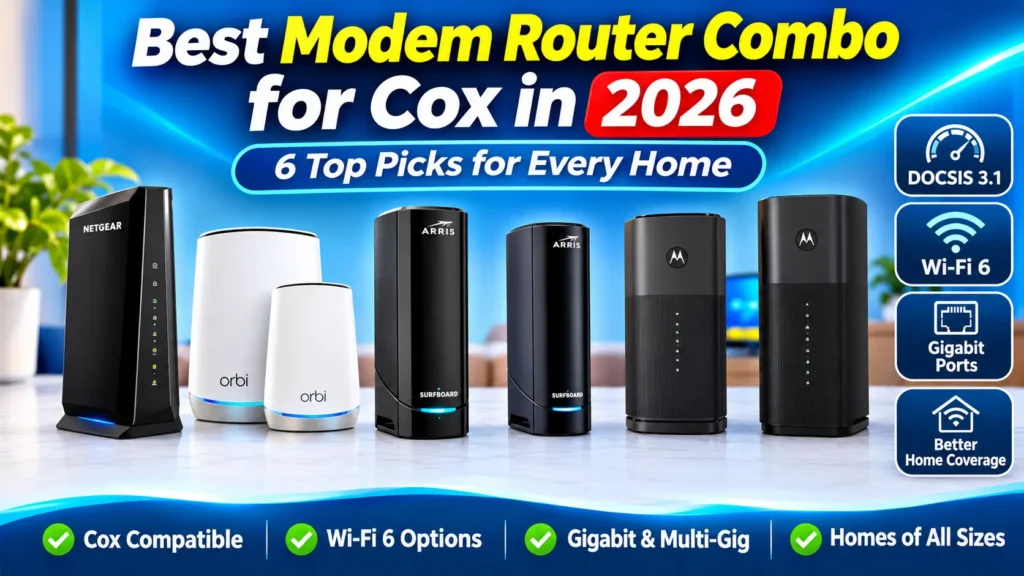
Best Modem Router Combo for Cox in 2026: 6 Top Picks for Every Home
Choosing the best modem router combo for Cox can help you simplify your home network, reduce the need for separate networking devices, and get reliable Wi-Fi throughout your home.
A modem router combo combines two devices into one: a cable modem that connects to Cox’s internet service and a wireless router that distributes the connection to your phones, laptops, smart TVs, and other devices.
However, not every modem router combo works with Cox. You should check compatibility with Cox’s approved modem list and make sure the device supports your internet plan.
In this guide, we compare six DOCSIS 3.1 modem router combos that are worth considering for Cox customers. We also include a separate used alternative and explain what to look for before buying.
Disclosure: As an Amazon Associate I earn from qualifying purchases.
Quick Comparison: Best Modem Router Combos for Cox
The following table gives you a quick overview of the six main options, including their modem technology, Wi-Fi standard, Ethernet ports, and ideal use.
| Model | Wi-Fi | Ethernet Ports | Best For | Check Price |
|---|---|---|---|---|
| NETGEAR CAX30 | Wi-Fi 6 AX2700 | 4 Gigabit | Best Overall | Check Price |
| NETGEAR Orbi CBK752 | Wi-Fi 6 AX4200 | 4 router + 2 satellite | Larger Homes | Check Price |
| ARRIS SURFboard G34 | Wi-Fi 6 AX3000 | 4 Gigabit | Wired Devices | Check Price |
| ARRIS SURFboard G20 | Wi-Fi 6 AX3000 | 2 Gigabit | Wi-Fi 6 for Gigabit | Check Price |
| Motorola MG8702 | Wi-Fi 5 AC3200 | 4 Gigabit | Wi-Fi 5 Option | Check Price |
| Motorola MG8725 | Wi-Fi 6 AX6000 | 1 × 2.5GbE + 3 Gigabit | Higher-Speed Plans | Check Price |
Note: Cox compatibility and supported speed tiers can change. Confirm the exact model and your internet plan with Cox before purchasing.
1. NETGEAR Nighthawk CAX30 – Best Overall Modem Router Combo for Cox
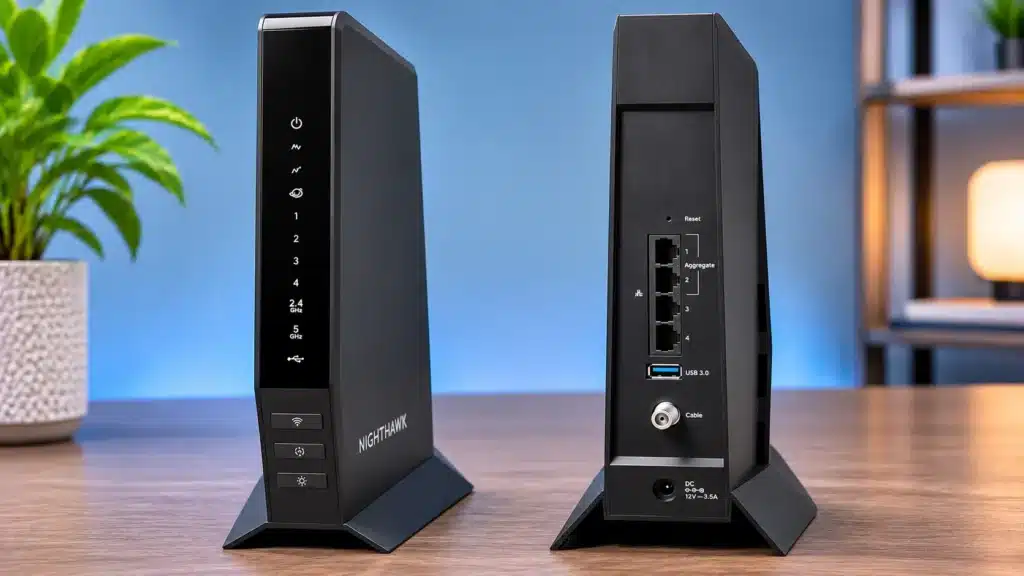
The NETGEAR Nighthawk CAX30 is a DOCSIS 3.1 cable modem and Wi-Fi 6 router combined into one device. It offers a practical balance of wireless performance and wired connectivity for many Cox households.
It supports dual-band Wi-Fi 6 AX2700 and includes four Gigabit Ethernet ports for wired devices such as desktop computers, gaming consoles, smart TVs, and network storage.
The CAX30 is listed as Cox-compatible for plans up to the 1 Gig tier. Check Cox’s current compatibility information for your exact service level before ordering.
Key Features:
- DOCSIS 3.1 cable modem
- Dual-band Wi-Fi 6 AX2700
- Four Gigabit Ethernet ports
- USB 3.0 port
- WPA2/WPA3 wireless security
- Built-in modem and wireless router
Pros and Cons
Pros
- DOCSIS 3.1 technology
- Wi-Fi 6 support
- Four Gigabit Ethernet ports
- USB 3.0 connectivity
Cons
- Not a mesh Wi-Fi system
- Limited to the Cox-approved speed tier
- Coverage depends on home layout
Who should buy it?
The CAX30 is a good option for Cox customers who want a single device with Wi-Fi 6, multiple wired connections, and DOCSIS 3.1 support.
Check Price on Amazon2. NETGEAR Orbi CBK752 – Best Mesh Modem Router Combo for Larger Homes
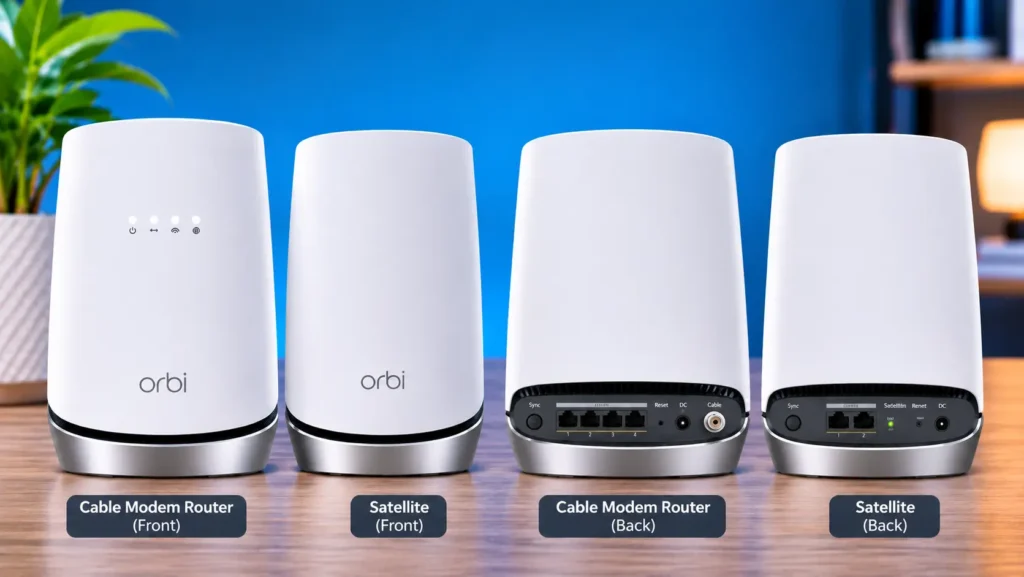
The NETGEAR Orbi CBK752 is different from a standard modem router combo because it includes a mesh satellite. The package combines a DOCSIS 3.1 cable modem router with an additional Orbi satellite to help extend wireless coverage.
It uses tri-band Wi-Fi 6 AX4200 technology. The main router has four Gigabit Ethernet ports, while the satellite provides two additional Gigabit Ethernet ports.
The mesh design can be useful in larger homes where a single wireless router may struggle to provide consistent coverage in distant rooms.
The CBK752 uses the CBR750 modem-router platform, which Cox lists as compatible for plans up to the 1 Gig tier.
Key Features:
- DOCSIS 3.1 cable modem
- Tri-band Wi-Fi 6 AX4200
- One router and one satellite
- Four Gigabit Ethernet ports on the router
- Two Gigabit Ethernet ports on the satellite
- Dedicated wireless backhaul
Pros and Cons
Pros
- Mesh Wi-Fi coverage
- Tri-band Wi-Fi 6
- Dedicated wireless backhaul
- Extra Ethernet ports on satellite
Cons
- More equipment than a standard combo
- May be unnecessary for smaller homes
- No Cox telephone voice support
Who should buy it?
The Orbi CBK752 is worth considering if you have a larger home, multiple rooms, or areas where a traditional single-router setup struggles to provide reliable Wi-Fi.
Check Price on Amazon3. ARRIS SURFboard G34 – Best for Multiple Wired Devices
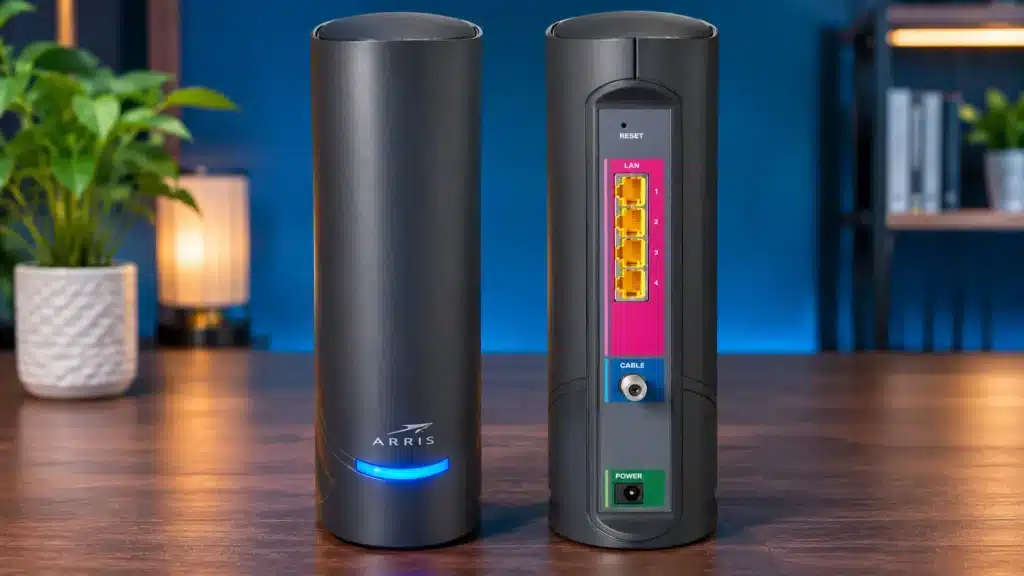
The ARRIS SURFboard G34 combines a DOCSIS 3.1 cable modem with a dual-band Wi-Fi 6 AX3000 router. It is designed for households that need a modern wireless connection and several wired Ethernet connections.
One of its useful features is the inclusion of four Gigabit Ethernet ports. This makes it convenient for connecting devices directly rather than relying entirely on Wi-Fi.
The G34 supports WPA, WPA2, and WPA3 wireless security and can be managed using the SURFboard app.
Cox lists the G34 as compatible for plans up to the 1 Gig tier.
Key Features:
- DOCSIS 3.1 cable modem
- Dual-band Wi-Fi 6 AX3000
- Four Gigabit Ethernet ports
- WPA/WPA2/WPA3 security
- SURFboard app support
- Two-year manufacturer warranty
Pros and Cons
Pros
- Wi-Fi 6 technology
- Four Gigabit Ethernet ports
- Modern wireless security
- Single-device setup
Cons
- No built-in mesh satellite
- Dual-band rather than tri-band Wi-Fi
- Check your Cox plan’s speed tier
Who should buy it?
The ARRIS G34 is a practical choice for households that connect several devices through Ethernet and want Wi-Fi 6 without buying a separate modem and router.
Check Price on Amazon4. ARRIS SURFboard G20 – Best Wi-Fi 6 Option for Cox Gigabit
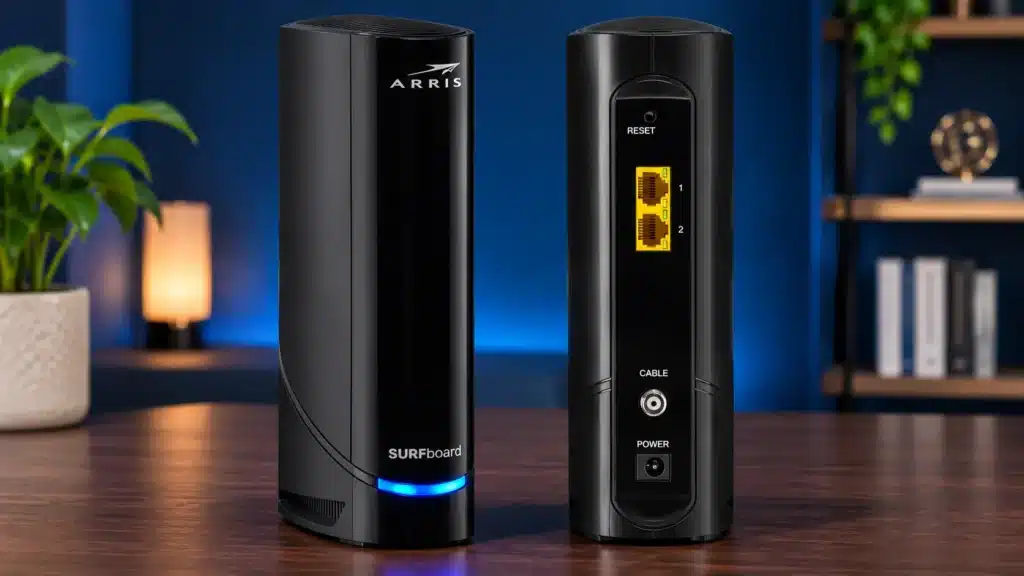
The ARRIS SURFboard G20 is another DOCSIS 3.1 modem router combo with Wi-Fi 6 AX3000 technology. It is designed for users who want a modern wireless connection in a compact all-in-one device.
Unlike the G34, the G20 has two Gigabit Ethernet ports. This is worth considering if you mainly connect devices over Wi-Fi and only need a couple of wired connections.
It also supports WPA, WPA2, and WPA3 security, along with the SURFboard Central app and a built-in firewall.
Cox lists the G20 as compatible for plans up to the 1 Gig tier.
Key Features:
- DOCSIS 3.1 cable modem
- Dual-band Wi-Fi 6 AX3000
- Two Gigabit Ethernet ports
- WPA/WPA2/WPA3 security
- Built-in firewall
- SURFboard Central app
Pros and Cons
Pros
- Wi-Fi 6 AX3000
- DOCSIS 3.1 support
- WPA3 security
- Built-in firewall
Cons
- Only two Ethernet ports
- No dedicated mesh satellite
- May not suit homes needing many wired connections
Who should buy it?
The G20 is worth considering if you want DOCSIS 3.1 and Wi-Fi 6 for a Cox Gigabit-level connection, and two Ethernet ports are enough for your home.
Check Price on Amazon5. Motorola MG8702 – Best Wi-Fi 5 Modem Router Combo for Cox
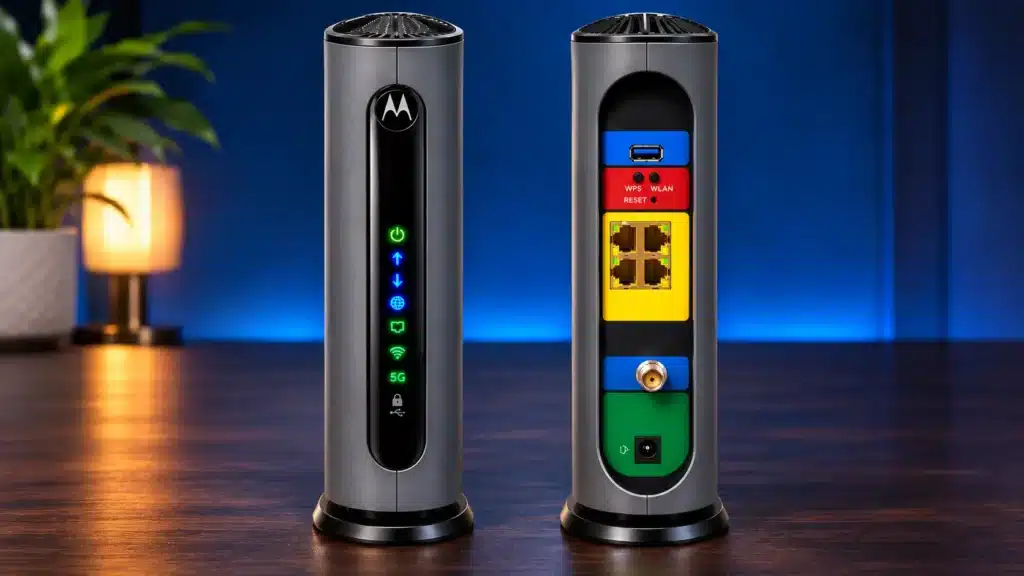
The Motorola MG8702 is a DOCSIS 3.1 cable modem router combo with dual-band Wi-Fi 5 AC3200 technology.
Although it does not use Wi-Fi 6, it offers four Gigabit Ethernet ports and a USB 3.0 port. This can make it a suitable option for users who need several wired connections and do not necessarily need the newest Wi-Fi standard.
The MG8702 is listed by Cox as compatible for plans up to the 1 Gig tier.
Key Features:
- DOCSIS 3.1 cable modem
- Dual-band Wi-Fi 5 AC3200
- Four Gigabit Ethernet ports
- USB 3.0 port
- Built-in wireless router
Pros and Cons
Pros
- DOCSIS 3.1 support
- Four Gigabit Ethernet ports
- USB 3.0 port
- Integrated modem and router
Cons
- Uses Wi-Fi 5 rather than Wi-Fi 6
- No built-in mesh satellite
- Not the newest wireless standard
Who should buy it?
The MG8702 may suit Cox customers who want an all-in-one DOCSIS 3.1 device with four wired Ethernet connections and do not specifically require Wi-Fi 6.
Check Price on Amazon6. Motorola MG8725 – Best for Higher-Speed Cox Plans
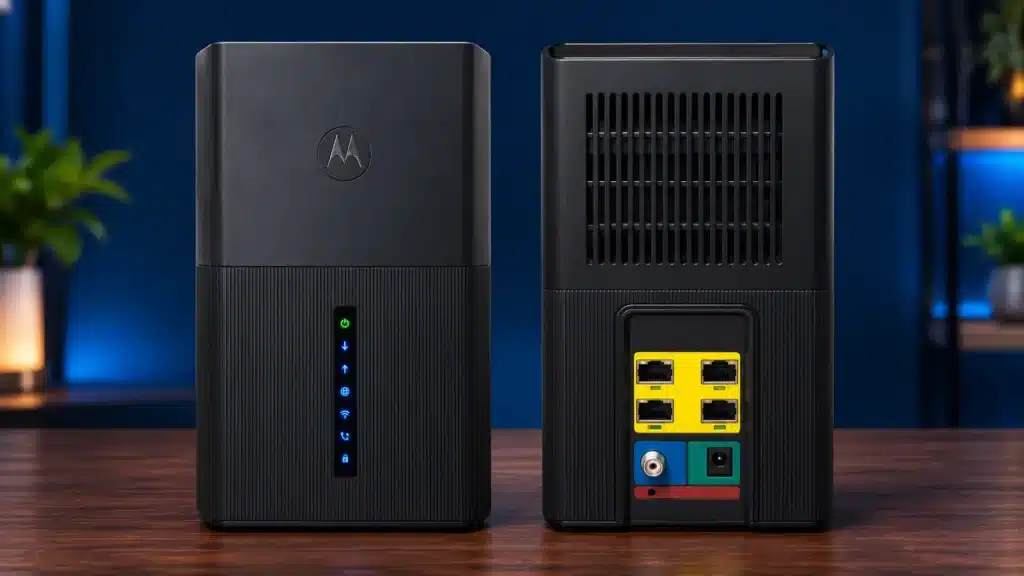
The Motorola MG8725 is a DOCSIS 3.1 modem router combo with dual-band Wi-Fi 6 AX6000 technology. It stands out from the other options because it includes a 2.5 Gigabit Ethernet port alongside three standard Gigabit Ethernet ports.
This 2.5GbE connection can be useful for compatible networking equipment and higher-speed wired connections.
The MG8725 also includes features such as MU-MIMO, Power Boost, Range Boost, AnyBeam beamforming, and the motosync app.
Cox lists the MG8725 in its compatible devices for plans up to the 2 Gig tier. Confirm local plan availability and compatibility before buying.
Key Features:
- DOCSIS 3.1 cable modem
- Dual-band Wi-Fi 6 AX6000
- One 2.5 Gigabit Ethernet port
- Three Gigabit Ethernet ports
- 4×4 MU-MIMO
- Power Boost and AnyBeam features
- motosync app support
Pros and Cons
Pros
- Wi-Fi 6 AX6000
- 2.5GbE Ethernet port
- Three additional Gigabit ports
- Advanced wireless features
Cons
- Does not include a mesh satellite
- 2.5GbE benefit requires compatible equipment
- AX6000 is a Wi-Fi class, not internet speed
Who should buy it?
The MG8725 is worth considering if you have a Cox plan in its supported speed tier and want a Wi-Fi 6 combo with a 2.5GbE wired connection.
Check Price on AmazonUsed Alternative: ARRIS SURFboard G18
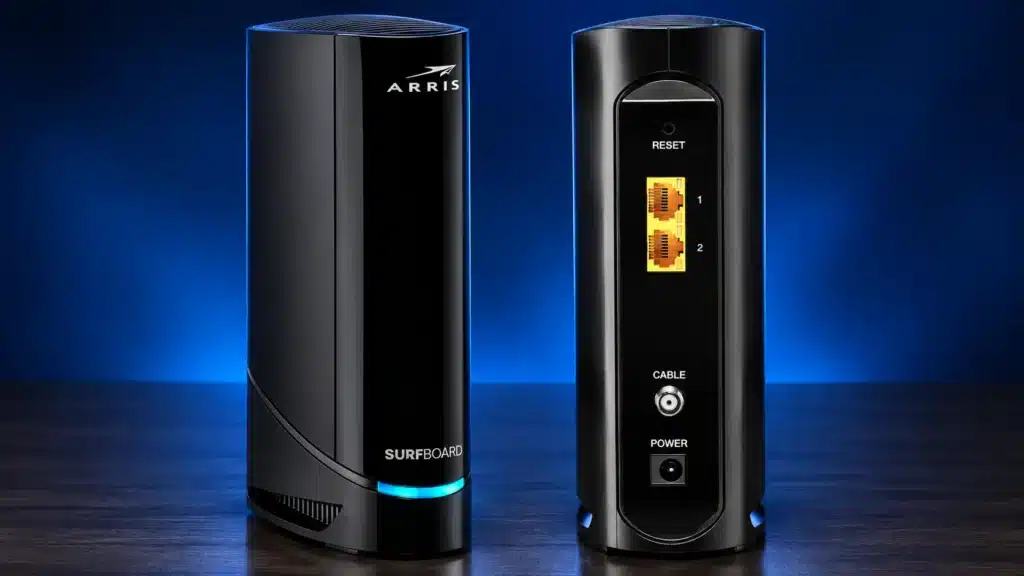
The ARRIS SURFboard G18 is another DOCSIS 3.1 modem router combo with Wi-Fi 6 AX1800. It has two Gigabit Ethernet ports and supports WPA3 wireless security.
Cox lists the G18 as compatible for plans up to the 1 Gig tier. However, if you are considering this model, pay attention to the product condition. The listing we reviewed was available as a used option rather than a new product.
Pros and Cons
Pros
- DOCSIS 3.1 support
- Wi-Fi 6 AX1800
- Two Gigabit Ethernet ports
- WPA3 security
Cons
- New availability may be limited
- Used condition requires careful checking
- Only two Ethernet ports
Who should consider it?
Consider the G18 only if you are comfortable buying a used networking device. Check the condition, included accessories, return policy, and warranty before ordering.
Check Used Availability on AmazonHow to Choose the Best Modem Router Combo for Cox
Before choosing a modem router combo, consider the following points.
1. Check Cox Compatibility
This should be your first step. Cox does not support every cable modem available on the market.
Check the official Cox compatible modem list and confirm that your exact model supports your internet plan. A device listed for a lower speed tier may not be suitable for a higher-speed plan.
2. Choose DOCSIS 3.1
DOCSIS 3.1 is a good technology standard to look for when buying a modem for modern cable internet service.
All six main products in this guide use DOCSIS 3.1. This helps make them more suitable for current and higher-speed cable internet plans than older DOCSIS 3.0 models.
3. Consider Wi-Fi 6
Wi-Fi 6 can provide better network efficiency and performance in homes with multiple connected devices.
If you have newer phones, laptops, and smart devices, a Wi-Fi 6 modem router combo may be worth considering.
4. Check Ethernet Ports
Think about how many devices you connect using Ethernet.
- Four Ethernet ports can be useful for desktops, TVs, consoles, and other wired devices.
- Two Ethernet ports may be enough if most of your devices use Wi-Fi.
- A 2.5GbE port can help with compatible multi-gig networking equipment.
5. Consider Your Home Size
A regular modem router combo may be sufficient for a small or medium-sized home.
For larger homes with multiple floors or distant rooms, a mesh system such as the Orbi CBK752 may provide more flexible wireless coverage.
6. Check Voice Service Requirements
If you use Cox telephone service, make sure the device supports the required voice functionality. The models in this comparison should not be assumed to support Cox voice service.
Frequently Asked Questions
1. What is the best modem router combo for Cox?
The NETGEAR Nighthawk CAX30 is our overall pick because it combines DOCSIS 3.1, Wi-Fi 6, and four Gigabit Ethernet ports. However, the best choice depends on your Cox plan, home size, and wired networking needs.
2. Does Cox require a DOCSIS 3.1 modem?
Not every Cox customer necessarily needs the same modem specification. However, DOCSIS 3.1 is a sensible choice for customers looking for compatibility with modern and higher-speed cable internet plans.
3. Can I use my own modem router combo with Cox?
Yes, Cox supports customer-owned compatible cable modems. You must use a model approved for your service and activate it with Cox.
4. Is Wi-Fi 6 better than Wi-Fi 5?
Wi-Fi 6 is a newer wireless standard that offers improvements in network efficiency and performance, particularly when several devices connect to the network. However, your actual experience also depends on your internet plan, connected devices, and home environment.
5. Is a modem router combo better than separate devices?
A combo is convenient because it combines the modem and router in one device and reduces the number of boxes and cables. Separate devices can offer more flexibility if you want to upgrade your router independently.
6. Does the NETGEAR Orbi CBK752 work with Cox?
The CBK752 uses the CBR750 modem-router platform, which Cox lists as compatible for plans up to the 1 Gig tier. Confirm the latest compatibility details with Cox before purchasing.
7. Can I use the Motorola MG8725 with Cox 2 Gig internet?
Cox lists the Motorola MG8725 in its compatible devices for plans up to the 2 Gig tier. Actual availability and performance depend on your location, plan, and Cox’s current compatibility information.
Final Verdict: Which Modem Router Combo Should You Choose?
The right modem router combo depends on your internet plan, home size, and the number of devices you connect.
- Best Overall: NETGEAR Nighthawk CAX30
- Best for Larger Homes: NETGEAR Orbi CBK752
- Best for Multiple Wired Devices: ARRIS SURFboard G34
- Best Wi-Fi 6 Option with Two Ethernet Ports: ARRIS SURFboard G20
- Best Wi-Fi 5 Option: Motorola MG8702
- Best for Higher-Speed Cox Plans: Motorola MG8725
Before ordering, always verify your exact model on Cox’s official compatibility list and confirm that it supports your internet plan.