
Introduction
Finding the best router for Spectrum can be confusing, especially with so many Wi-Fi 6 and Wi-Fi 7 routers available today. Spectrum provides the modem for its Internet service, while your router connects to the modem through Ethernet and provides Wi-Fi to your devices.
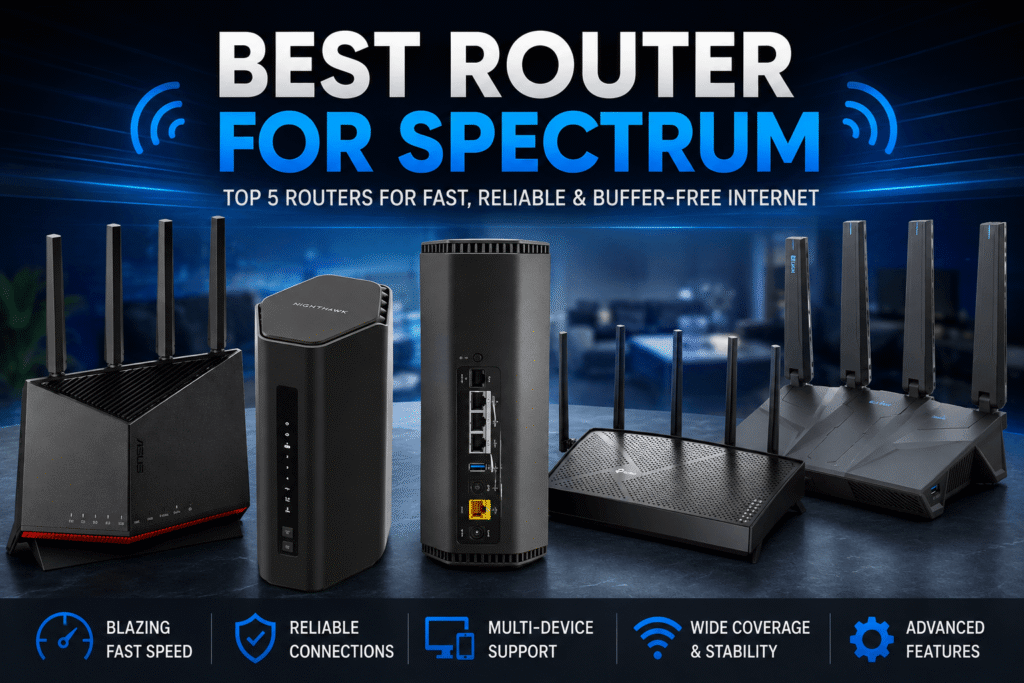
In this guide, we researched and compared five routers based on Wi-Fi performance, Ethernet capabilities, features, and suitability for different Spectrum Internet users. Whether you want an affordable upgrade, better gaming performance, or a router ready for multi-gigabit Internet, these five options cover different needs and use cases.
Note: Spectrum’s standard setup does not require a special router with a fiber-optic port. Your router normally connects to the Spectrum modem using an Ethernet cable.
Affiliate Disclosure: We may earn a commission from qualifying purchases made through links in this article, at no extra cost to you.
Quick comparison table
| Router | Best For | Wi-Fi | WAN Port | Check Price |
|---|---|---|---|---|
|
TP-Link Archer BE230
Best Budget
|
Budget users | Wi-Fi 7 | 2.5 Gbps | Check Price |
|
TP-Link Archer BE260
Best Value
|
Performance & value | Wi-Fi 7 | 2.5 Gbps | Check Price |
|
NETGEAR Nighthawk RS180
Best NETGEAR
|
Easy home setup | Wi-Fi 7 | 2.5 Gbps | Check Price |
|
GL.iNet Flint 3e
Best for VPN
|
VPN & advanced users | Wi-Fi 7 | 2.5 Gbps | Check Price |
|
ASUS RT-BE86U
Best High-End
|
Multi-gig & power users | Wi-Fi 7 | 10 Gbps | Check Price |
Do You Need a Special Router for Spectrum?
Spectrum Internet → Spectrum modem → Ethernet cable → your router → Wi-Fi devices
Spectrum explains that the modem brings the Internet connection into the home while the router distributes that connection to multiple devices.
Also explain that “Spectrum Internet is powered by fiber” doesn’t mean the customer normally plugs a fiber cable directly into their Wi-Fi router. Spectrum currently describes its standard Internet as fiber-powered and connected to premises through coaxial lines.
What to Look for in a Router for Spectrum
Choosing the right router for Spectrum is not just about buying the fastest model available. Your Internet plan, home size, number of connected devices, and the features you need should all play a role. Here are the most important things to consider before choosing a router.
Wi-Fi 6 vs Wi-Fi 7
However, you don’t necessarily need Wi-Fi 7 just because you have Spectrum Internet. Wi-Fi 6 is still capable of providing fast and reliable performance for most homes. If you have newer Wi-Fi 7 devices or want a router that is more future-ready, Wi-Fi 7 can be a worthwhile upgrade.
2.5Gbps Ethernet
The Ethernet ports on a router are important if you have a high-speed or multi-gigabit Internet connection.
A router with a 2.5Gbps WAN port can handle Internet connections faster than the traditional 1Gbps limit, provided your Spectrum service and modem support those speeds. A 2.5Gbps LAN port can also be useful for connecting a high-speed PC, NAS, gaming system, or other wired device.
For a typical lower-speed Spectrum plan, you may not need 2.5Gbps Ethernet. But it gives you more flexibility if you upgrade your Internet service later.
Coverage
A fast router isn’t necessarily the best router for every home. The size and layout of your house can have a major effect on Wi-Fi performance.
Spectrum recommends placing the router in an open, central location, rather than hiding it inside a cabinet or placing it near walls and other sources of interference.
For larger homes, a router with stronger coverage or a mesh Wi-Fi system may be a better choice than simply buying a more expensive single router.
Number of Devices
Consider how many devices will connect to your network at the same time.
A small household with a few phones, laptops and a smart TV may not need a high-end router. However, a busy home could have dozens of connected devices, including phones, TVs, computers, game consoles, cameras, smart speakers and other smart-home devices.
A router with stronger hardware and better wireless capacity can handle many simultaneous connections more comfortably, particularly when several devices are streaming, gaming, downloading, or making video calls at the same time.
Gaming and VPN Features
If you play online games, look for features that can help manage network traffic and reduce unnecessary latency. Gaming-oriented routers may include QoS controls, gaming traffic prioritization, or more advanced network-management options.
VPN support is useful if you want to connect your entire home network through a VPN or run a VPN server. This is particularly relevant to advanced users who want more control over their network.
For example, the GL.iNet Flint 3e is aimed at users who want extensive VPN and networking capabilities, while the ASUS RT-BE86U offers more advanced networking and gaming-oriented features for users who need them.
Don’t Pay for Features You Don’t Need
The most expensive router isn’t automatically the best choice for your Spectrum connection. If your Internet plan is relatively modest and you only have a handful of devices, a budget Wi-Fi 7 router may provide everything you need.
On the other hand, if you have a multi-gigabit plan, many connected devices, high-end gaming equipment, or advanced networking requirements, spending more on a capable router can make sense.
5 Best Routers for Spectrum in 2026
TP-Link Archer BE230 — Best Budget Router for Spectrum
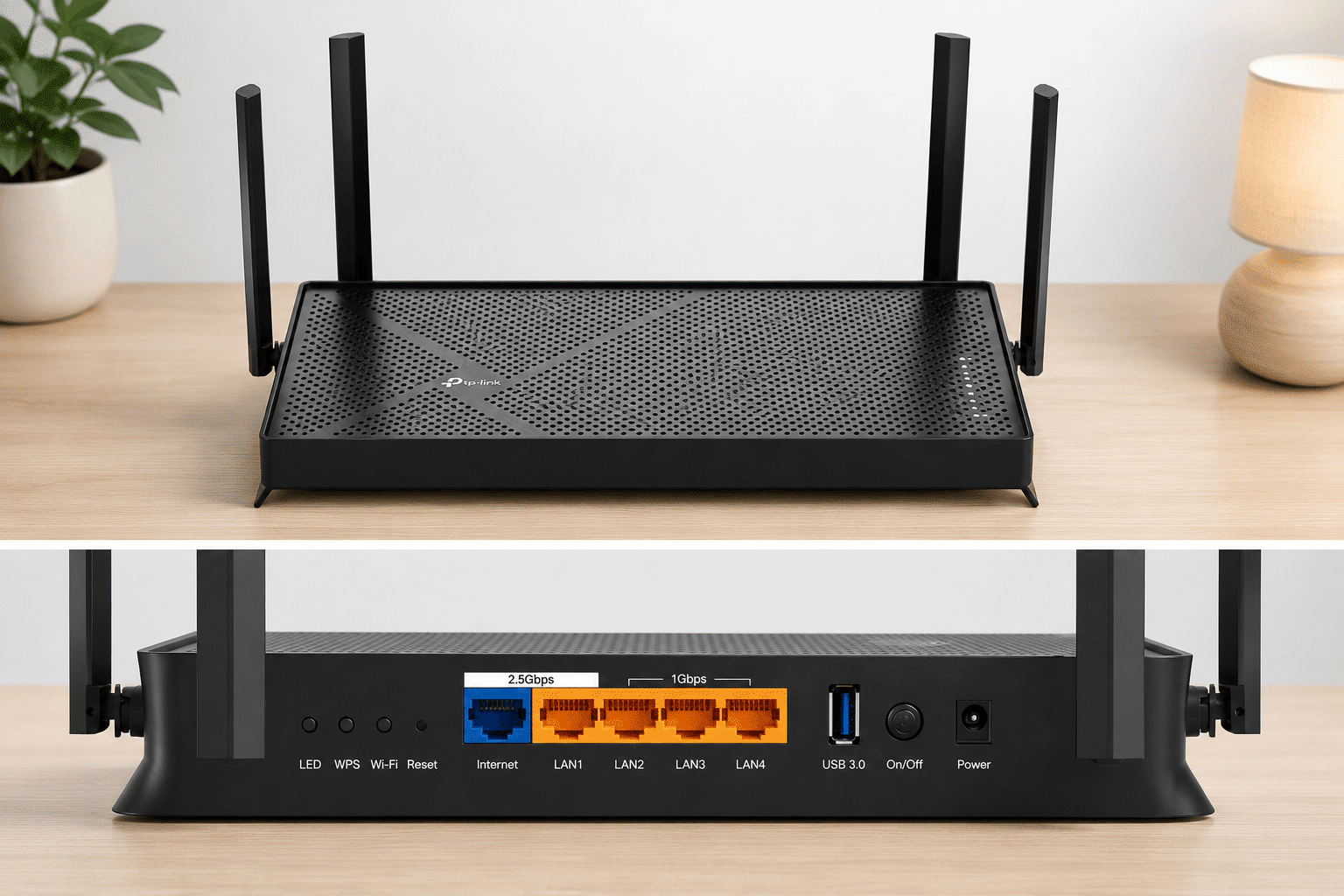
The TP-Link Archer BE230 is a budget-friendly choice for Spectrum customers who want to upgrade to Wi-Fi 7. It combines modern wireless features with multi-gigabit Ethernet, making it worth considering for households looking to improve their home network.
It features dual-band Wi-Fi 7, a 2.5Gbps WAN port, a 2.5Gbps LAN port, three Gigabit LAN ports, and a USB 3.0 port.
Why It’s Good for Spectrum
The BE230 is a good fit for Spectrum users who want modern Wi-Fi performance and a 2.5Gbps Ethernet connection. It is suitable for streaming, working from home, gaming, and households with multiple connected devices.
Who Should Buy It?
- Budget-conscious Spectrum users
- Users who want Wi-Fi 7
- Homes with multiple connected devices
- Users who want a 2.5Gbps WAN port
Who Shouldn’t Buy It?
Consider a more powerful router if you have a very large home, many high-speed wired devices, or advanced networking requirements.
Check Price on AmazonTP-Link Archer BE260 — Best Value Router for Spectrum
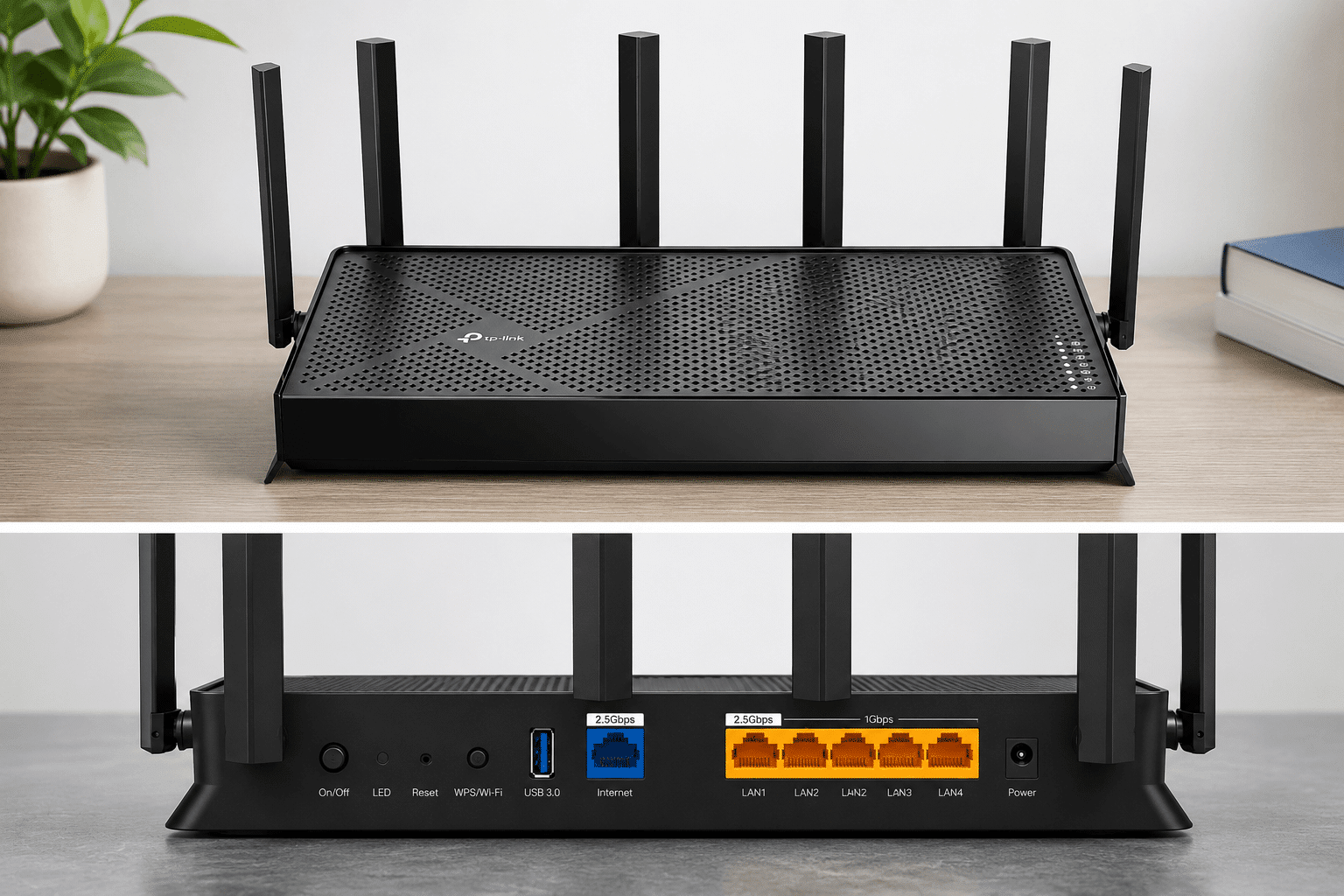
The TP-Link Archer BE260 is worth considering if you want a Wi-Fi 7 router with additional wireless performance and multi-gigabit Ethernet. Its advertised BE5000 Wi-Fi 7 class makes it an option for users who want a capable home network for multiple devices and demanding everyday tasks.
The BE260 includes a 2.5Gbps WAN port, a 2.5Gbps LAN port, and three Gigabit LAN ports. It also supports Wi-Fi 7 features such as Multi-Link Operation and EasyMesh.
Why It’s Good for Spectrum
If you have several wireless devices or want a router that can remain useful as your home network grows, the BE260 offers a combination of wireless performance and wired connectivity.
Who Should Buy It?
- Users who want Wi-Fi 7 performance
- Homes with many wireless devices
- Users who want 2.5Gbps Ethernet
- People planning to keep their router for several years
Who Shouldn’t Buy It?
If you only need a router for basic browsing, streaming, and everyday home use, the TP-Link Archer BE230 may offer the features you need.
Check Price on AmazonNETGEAR Nighthawk RS180 — Best NETGEAR Router for Spectrum
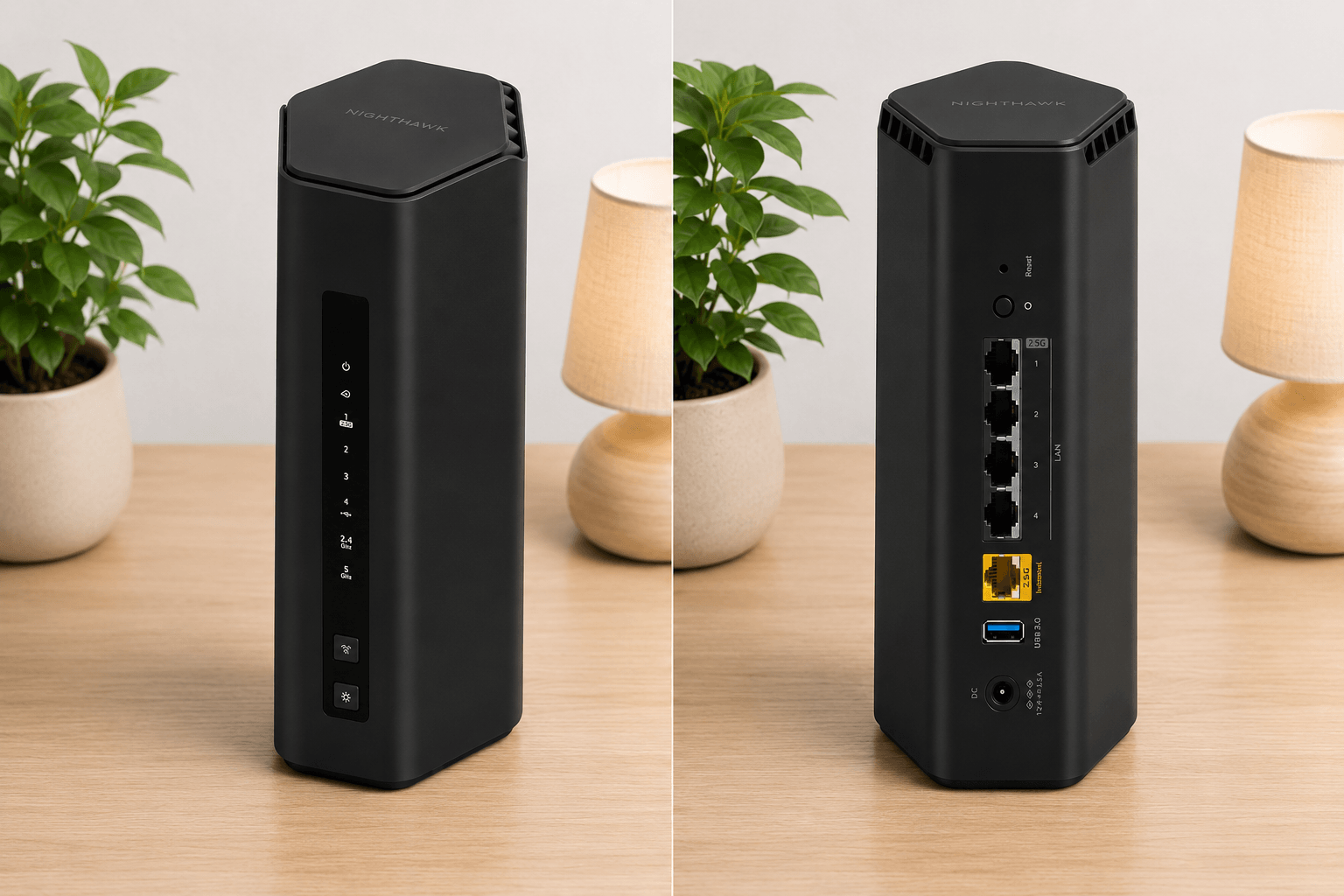
The NETGEAR Nighthawk RS180 is a dual-band Wi-Fi 7 router designed for households with many connected devices. It offers advertised wireless speeds of up to 5.5 Gbps and includes a 2.5Gbps Internet port.
Why It’s Good for Spectrum
NETGEAR rates the RS180 for up to 2,500 square feet of coverage and up to 80 connected devices. This makes it a suitable option for busy homes with phones, TVs, computers, gaming consoles, smart-home devices, and other connected equipment.
Who Should Buy It?
- Users who prefer NETGEAR routers
- Medium-to-large homes
- Homes with many connected devices
- Users looking for a straightforward Wi-Fi 7 router
Who Shouldn’t Buy It?
If you mainly need a router for everyday browsing, streaming, and general home use, the TP-Link Archer BE230 or BE260 may also meet your needs. Compare their features to decide which router is the best fit.
Check Price on AmazonGL.iNet Flint 3e — Best Router for VPN and Advanced Users
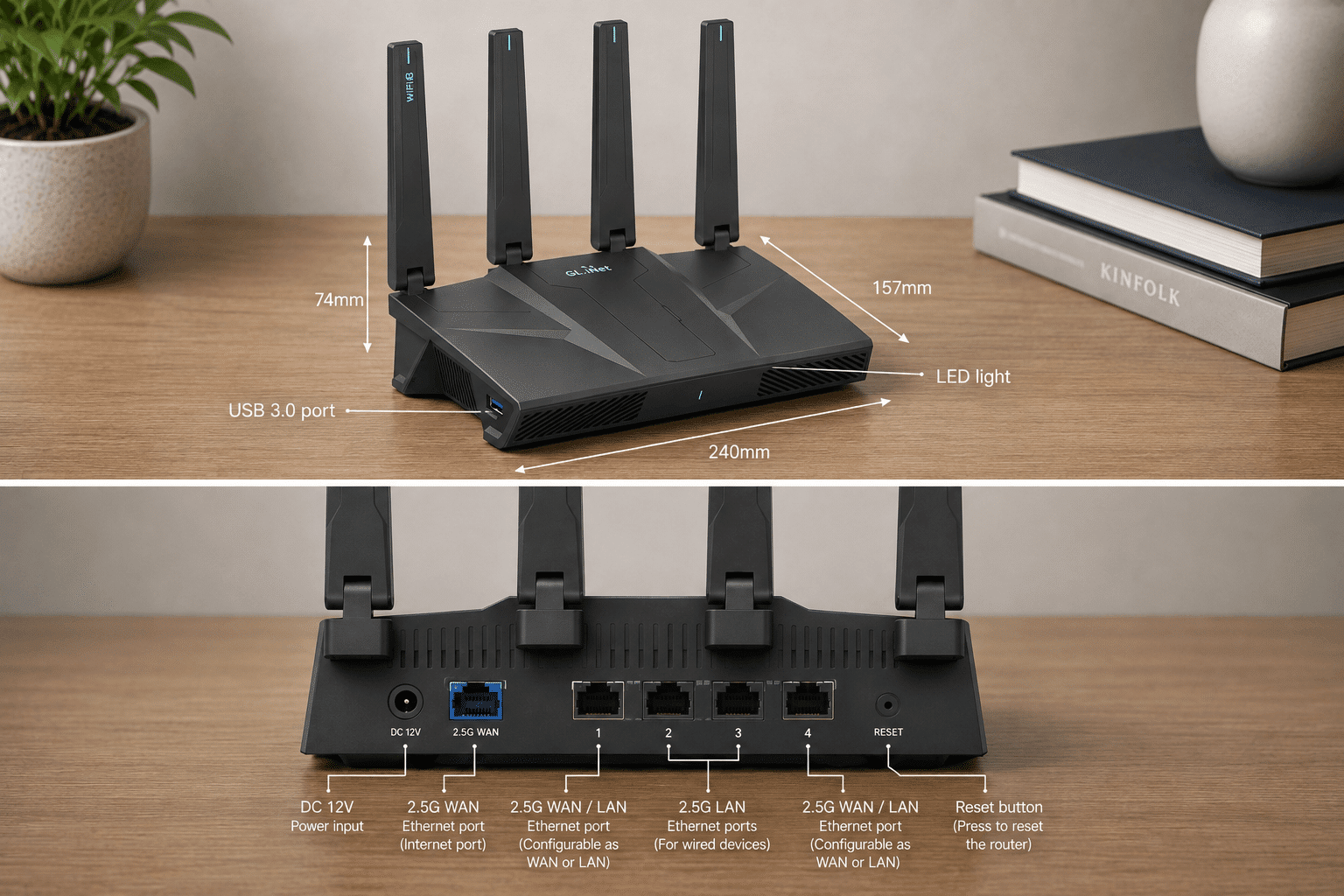
The GL.iNet Flint 3e is designed for users who want more control over their home network. Rather than focusing only on wireless speed, it offers advanced networking and VPN features that make it particularly interesting for power users.
It features dual-band Wi-Fi 7, five 2.5GbE ports, a USB 3.0 port, and support for VPN protocols including WireGuard and OpenVPN.
Why It’s Good for Spectrum
Spectrum users who want advanced VPN functionality, more networking controls, or several high-speed wired connections may find the Flint 3e more useful than a basic consumer router.
Who Should Buy It?
- VPN users
- Advanced network users
- Users who want OpenWrt-based features
- Homes with multiple 2.5GbE devices
Who Shouldn’t Buy It?
If you only need simple Wi-Fi for phones, TVs, laptops, and other everyday devices, the Flint 3e may offer more features than you actually need.
Check Price on AmazonASUS RT-BE86U — Best High-End Router for Spectrum
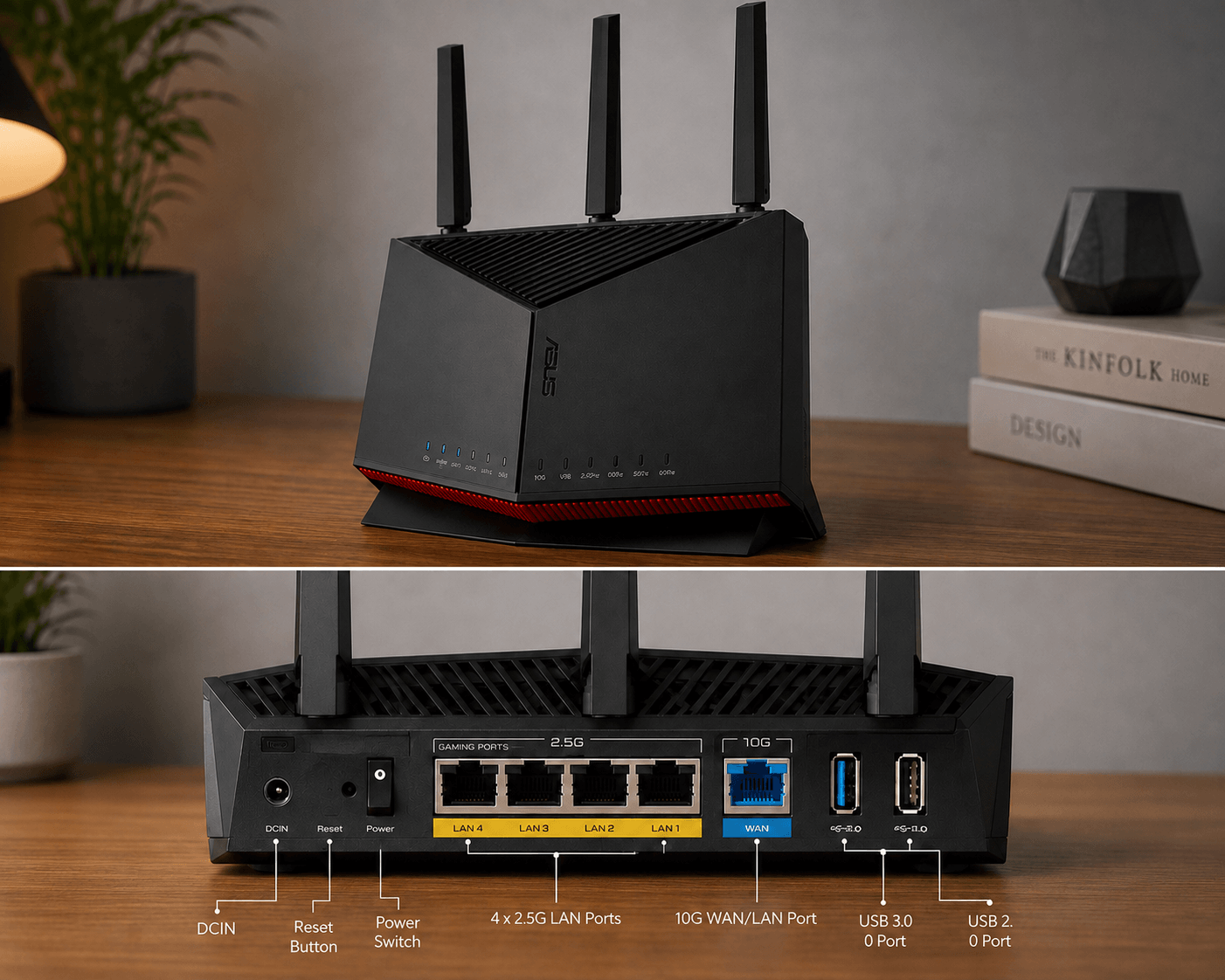
The ASUS RT-BE86U is a high-performance option for users who want advanced networking, gaming features, and high-speed wired connectivity.
The RT-BE86U supports Wi-Fi 7 with advertised wireless speeds of up to 6.8 Gbps. Its biggest advantage is the 10Gbps WAN/LAN port, along with multiple 2.5Gbps Ethernet ports.
Why It’s Good for Spectrum
The RT-BE86U is best suited to users building a high-performance home network. Its 10Gbps Ethernet capability provides significant headroom for multi-gigabit networking, while ASUS also includes gaming, QoS, VPN, and advanced network-management features.
Who Should Buy It?
- Power users
- Serious gamers
- Users with multi-gigabit networking equipment
- Users who need advanced VPN and network features
Who Shouldn’t Buy It?
Most Spectrum customers may not need a high-end router with extensive networking features. If you have a standard Spectrum plan and don’t need advanced networking or multi-gigabit Ethernet, the TP-Link Archer BE230 or BE260 may be more suitable for your needs.
Check Price on AmazonSpectrum Internet Plans and Which Router You Need
Before choosing a router, it helps to know which Spectrum Internet plan you have. Spectrum offers Internet plans with different speed tiers, including 100 Mbps, 500 Mbps, 1 Gbps, and 2 Gbps in select areas. Spectrum also includes a modem with its current Internet plans.
The router you need depends on your Internet speed, the number of devices in your home, and how you use your connection. Lower-speed plans are generally suitable for browsing, streaming, and working from home, while gigabit and multi-gigabit plans can support busier households with more connected devices and heavier data use.
100 Mbps — Spectrum Internet Advantage
Spectrum’s Internet Advantage plan offers speeds up to 100 Mbps and is aimed at smaller households and everyday activities such as browsing, email, video calls, and streaming.
You don’t need an expensive high-end router for this speed. The TP-Link Archer BE230 is more than capable for typical home use and provides Wi-Fi 7 support and a 2.5Gbps Ethernet connection, leaving room for a future Internet plan upgrade.
Best choice from our list: TP-Link Archer BE230
500 Mbps — Spectrum Internet Premier
The Internet Premier plan offers speeds up to 500 Mbps and is designed for households that need more bandwidth for multiple streams, working from home, and gaming.
The TP-Link Archer BE230 is a suitable option at this speed. However, if you have many wireless devices or want additional wireless performance and capacity, the Archer BE260 is another option to consider.
Best choices from our list: TP-Link Archer BE230 or Archer BE260
1 Gbps — Spectrum Internet Gig
Spectrum Internet Gig provides speeds up to 1,000 Mbps (1 Gbps) and is aimed at busy households with multiple users, 4K streaming, gaming, and connected smart-home devices.
At this speed, a router with a 2.5Gbps WAN port can provide additional Ethernet capacity beyond a traditional 1Gbps WAN connection.
The TP-Link Archer BE260 is a strong option for this plan. The NETGEAR RS180, GL.iNet Flint 3e, and ASUS RT-BE86U are also worth considering if you want additional features or more advanced networking capabilities.
Recommended choice: TP-Link Archer BE260
2 Gbps — Spectrum Internet 2 Gig
Spectrum’s 2 Gig plan offers speeds up to 2,000 Mbps and is available only in select areas. This tier is intended for households that need higher bandwidth for multiple connected devices and demanding Internet use.
For a 2 Gbps connection, pay close attention to the router’s Ethernet ports. A router with only a 1Gbps WAN port could limit the connection, while a 2.5Gbps or faster WAN port provides sufficient Ethernet capacity for a 2 Gbps service.
From our five picks, the Archer BE260, NETGEAR RS180, GL.iNet Flint 3e, and ASUS RT-BE86U have 2.5Gbps-or-faster WAN capability, according to their listed specifications.
The ASUS RT-BE86U also has a 10Gbps WAN/LAN port, making it a suitable option for users building a more advanced multi-gigabit home network.
Recommended choices: TP-Link Archer BE260, NETGEAR RS180, GL.iNet Flint 3e, or ASUS RT-BE86U
Which Spectrum Plan Is Right for You?
Use this table to match your Internet plan with a router from this guide.
| Spectrum Internet plan | Speed | Recommended router |
|---|---|---|
| Internet Advantage | 100 Mbps | TP-Link Archer BE230 |
| Internet Premier | 500 Mbps | BE230 or BE260 |
| Internet Gig | 1 Gbps | BE260 |
| Internet 2 Gig* | 2 Gbps | BE260, RS180, Flint 3e, or ASUS RT-BE86U |
Spectrum Internet 2 Gig is available only in select areas. Actual availability and speeds can vary by location.
You Don’t Need the Most Expensive Router
A faster Spectrum plan doesn’t automatically mean you need a high-end router. For a 100 Mbps or 500 Mbps connection, a router such as the Archer BE230 can provide plenty of performance for typical home activities.
More advanced models become more useful when you need additional Ethernet capacity, extensive VPN features, advanced network management, or support for multi-gigabit networking. Choose a router based on your Internet plan, home size, connected devices, and specific networking requirements.
Frequently Asked Questions
Can I use my own router with Spectrum?
Yes. You can use your own compatible router with Spectrum Internet. The router connects to the Spectrum modem using an Ethernet cable. Using your own router can give you more control over Wi-Fi performance, coverage, and networking features.
Does Spectrum require a special router?
No. You don’t generally need a special Spectrum-branded router. A compatible third-party router with an Ethernet WAN port can be used with the Spectrum modem. The right router depends on your Internet speed, home size, number of devices, and networking needs.
Do I need a modem and router for Spectrum?
A modem and router perform different jobs. The modem connects your home to the Internet service, while the router distributes that connection to your wired and wireless devices. Spectrum provides a modem with its Internet service, and you can choose a compatible router for your home network.
Can I use a Wi-Fi 7 router with Spectrum?
Yes. Wi-Fi 7 routers such as the TP-Link Archer BE230, Archer BE260, NETGEAR Nighthawk RS180, GL.iNet Flint 3e, and ASUS RT-BE86U can connect to a Spectrum modem through Ethernet. Wi-Fi 7 is most useful when you also have compatible Wi-Fi 7 devices.
Does Spectrum Internet use fiber?
Spectrum uses a hybrid network that combines fiber-optic infrastructure with coaxial cable for many residential connections. For a standard residential setup, your router typically connects to the Spectrum modem through Ethernet, so you generally don’t need a router with a direct fiber or SFP port.
Do I need a 2.5Gbps router for Spectrum?
Not necessarily. A 2.5Gbps Ethernet port is particularly useful with faster Internet plans and multi-gigabit networking. For a 100 Mbps or 500 Mbps plan, you generally don’t need a 2.5Gbps port, although it can provide additional capacity for future upgrades.
Which router is best for Spectrum 1 Gig Internet?
The TP-Link Archer BE260 is a strong option for Spectrum’s 1 Gig service, offering Wi-Fi 7 and 2.5Gbps Ethernet. Users who need advanced VPN functionality may prefer the GL.iNet Flint 3e, while those seeking additional networking and gaming features may consider the ASUS RT-BE86U.
Which router is best for Spectrum 2 Gig Internet?
For Spectrum’s 2 Gig service, look for a router with at least a 2.5Gbps WAN port so the Ethernet connection isn’t limited to 1Gbps. Among the routers in this guide, the TP-Link Archer BE260, NETGEAR RS180, GL.iNet Flint 3e, and ASUS RT-BE86U have 2.5Gbps-or-faster WAN capability according to their listed specifications. The ASUS RT-BE86U also includes a 10Gbps WAN/LAN port for advanced multi-gigabit networking.
Is Wi-Fi 7 worth it for Spectrum Internet?
Wi-Fi 7 can be worthwhile if you have compatible devices, many connected devices, or want a more future-ready router. However, you don’t need Wi-Fi 7 simply because you use Spectrum. For everyday browsing, streaming, and video calls, a suitable Wi-Fi 6 or Wi-Fi 7 router can provide plenty of performance.
Can I replace my Spectrum router with my own router?
Yes. If you use your own router, connect it to the Spectrum modem through Ethernet. You can then configure your Wi-Fi network and other router settings. The exact setup can vary depending on your Spectrum equipment and router model.